Free SEO audit: how to check your website and fix what's holding it back
Run a free SEO audit on any page in under a minute, then follow our 30-minute process to check indexing, titles, schema and speed and fix issues in order.


A free SEO audit checks a web page against search engine best practice and tells you what is stopping it from ranking: pages Google can't index, missing or weak titles, absent structured data, images without alt text, slow responses. You can get one for any page in under a minute with a free tool, then confirm the results with Google's own free reports.
The tool part is easy. The useful part is knowing what each finding means, which ones actually cost you traffic, and what order to fix them in. That is what this guide covers.
You'll get the full list of checks a good audit runs, a 30-minute process for auditing your own site with free tools, a way to sort the findings so you fix blockers before polish, and honest answers on what free audits miss, what paid audits cost, and whether AI can do the job.
What is an SEO audit?
An SEO audit is a structured check of a website, or a single page, against what search engines need in order to find, understand and rank it. It ends in a list of problems and fixes. A good audit also tells you which fixes matter most and roughly how much work each one takes.
Google's own advice on hiring an SEO puts it well: an SEO audit should give you realistic estimates of improvement and an estimate of the work involved. If anyone promises first place in results, Google's advice is to find someone else.
Three terms get mixed up:
- SEO audit: a diagnosis. What's wrong and what to change.
- SEO analysis: a broader look at keywords, competitors and opportunities, often part of a strategy.
- SEO report: ongoing measurement (rankings, clicks, traffic) after the work is done.
Does an SEO audit analyze website health?
Yes. If you have seen this as a true-or-false quiz question, the answer is true. "Website health" is the technical half of an audit: whether pages load, return the right status code, can be crawled, and are served securely and quickly. The other half is on-page quality: titles, headings, content and structured data. A full audit covers both. A free SEO audit tool usually covers both for one page at a time.
What a free SEO audit can't tell you
A page audit can't see your rankings, your competitors' backlinks, or whether your offer is the best answer to the search. Google also notes that it doesn't evaluate or endorse third-party SEO tools, and those tools have no access to Google's ranking data. Treat any tool's findings as a checklist to verify, not a verdict from Google.
What does a free SEO audit check?
A good free SEO audit checks indexability, the title tag, the meta description, the heading structure, image alt text, structured data, canonical tags, mobile setup, response time, content depth and internal links. Each one answers a simple question: can search engines read this page, and does it clearly match what people search for?
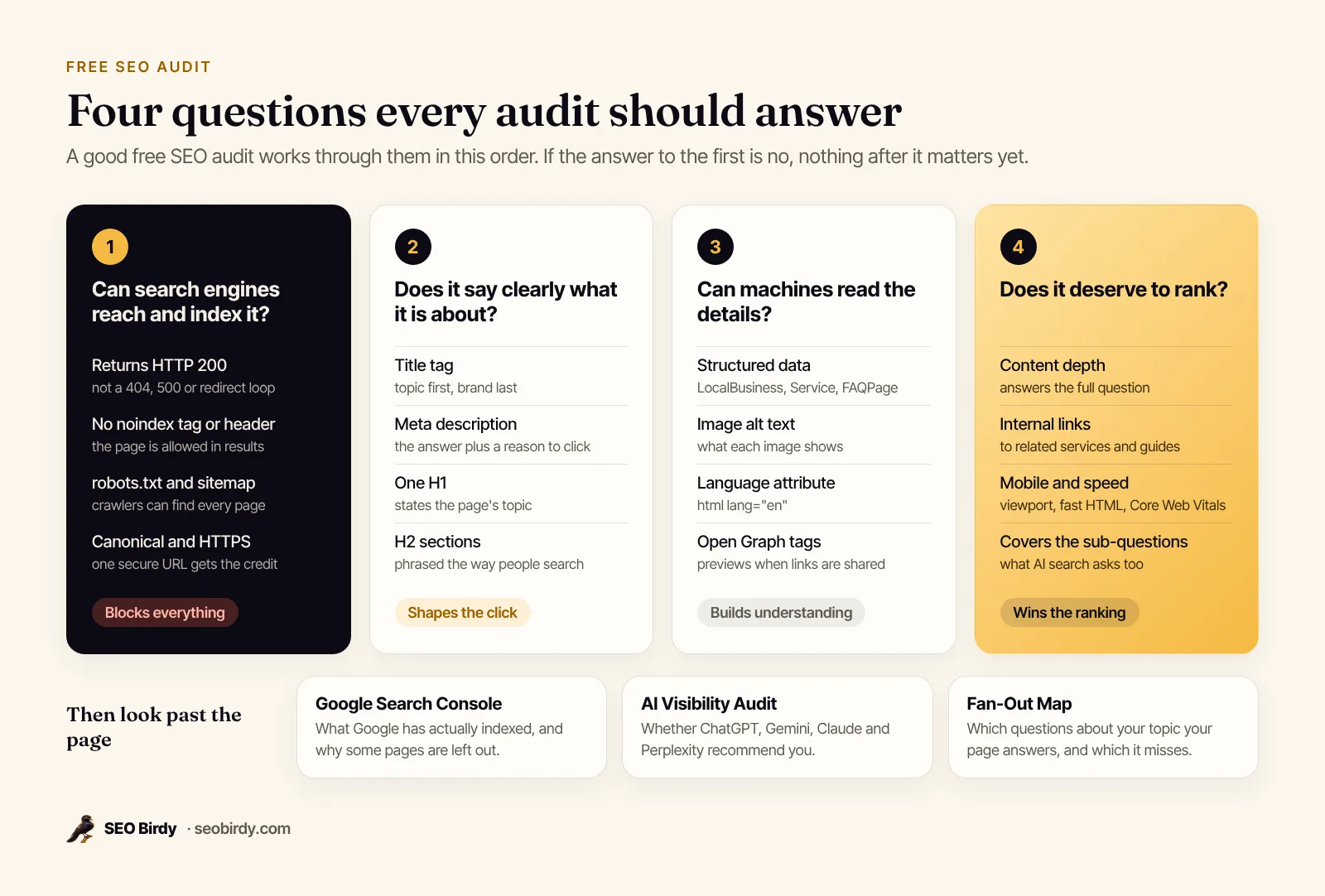
Here is the full SEO audit checklist, with what a passing result looks like. These are the same checks our free Website SEO Audit runs on every page.
| Check | What good looks like | Why it matters |
|---|---|---|
| Indexable | HTTP 200, no noindex tag or X-Robots-Tag header | A noindex rule removes the page from Google entirely |
| HTTPS | Served over HTTPS, HTTP redirects to it | Browsers flag insecure pages and visitors leave |
| Title tag | Unique, describes the page, topic first, roughly 30 to 60 characters | It usually becomes the blue link in results |
| Meta description | Specific summary with a reason to click, roughly 120 to 160 characters | Often shown as the snippet under the link |
| H1 heading | Exactly one, stating the topic | Tells readers and crawlers what the page is about |
| H2 headings | At least two, phrased like real searches | Makes sections easy to scan and to quote |
| Image alt text | Every meaningful image described; decorative ones use alt="" | Google uses alt text to understand images |
| Structured data | JSON-LD that matches the page (LocalBusiness, Service, Article, FAQPage) | Confirms facts like name, address and hours |
| FAQ content | Real customer questions answered on the page | Matches question searches and AI answers |
| Canonical | Points to the page itself | A canonical to another URL asks Google to treat that one as the main version |
| Open Graph | og:title, og:description, og:image | Controls the preview when the page is shared |
| Mobile viewport | Responsive viewport meta tag | Google indexes the mobile version of your site |
| Language | lang attribute on the html element | Helps search engines and screen readers |
| Response time | HTML arrives in under 1.5 seconds | Slow servers drag down every speed metric |
| robots.txt and sitemap | Both exist (checked on the homepage) | Helps crawlers find every page |
| Content depth | Enough text to fully answer the question | Thin pages rarely rank |
| Internal links | Five or more links to related pages | Spreads authority and helps discovery |
A note on lengths: Google says there's no limit on how long a title or meta description can be. Both are simply truncated in results as needed. The character ranges above are guidelines for avoiding truncation, not rules Google enforces. Our guide to how to write a meta description covers the details.
How to choose a free SEO audit tool
The best free SEO audit tool is one that shows you every individual check, explains why each failed and writes the fix, rather than handing you a score and a sales pitch. Online tools beat downloadable software for a quick audit: nothing to install, and they fetch the page the way a crawler does. Look for:
- No login wall. You should see the full free SEO audit report without creating an account.
- Itemized checks. A list you can work through, not a single grade.
- Written fixes. A suggested title, description, alt text or JSON-LD you can paste in, not just "improve your title".
- Header and status checks. A tool that reads HTTP status and X-Robots-Tag headers catches noindex rules you can't see in the page source.
- Honest limits. A free online audit tool checks one page or a few. Treat claims of a "full SEO audit" for free with care.
Even the most accurate free tools miss what isn't on the page: your rankings, your links, and what Google has actually indexed. That's why the process below pairs a page audit with Search Console.
How to do an SEO audit of your website in 30 minutes
You can conduct a useful SEO audit of a small business website in about 30 minutes with free tools: audit your most important pages, confirm indexing in Search Console, check speed and structured data, then write a short fix list. Here is the order we use, with why each step matters.
- Pick the pages that earn money. For most local businesses that's the homepage, the top two or three service pages and the contact page. Audit these first; a perfect blog post doesn't help if the plumbing services page is broken.
- Run a free page audit on each. Paste each URL into a free SEO audit tool and save the report. You want the itemized checks, not just a score.
- Confirm indexing in Search Console. Google Search Console is free. Use the URL Inspection tool on each key page to see whether it's indexed and which canonical Google chose. Then open the Page indexing report to see which pages Google left out and why. Our Google Search Console for beginners guide walks through both.
- Check speed on mobile. Run the pages through PageSpeed Insights. Core Web Vitals pass when Largest Contentful Paint is within 2.5 seconds, Interaction to Next Paint within 200 milliseconds and Cumulative Layout Shift under 0.1, measured at the 75th percentile of real visits.
- Validate structured data. Paste the homepage into Google's Rich Results Test to confirm your schema parses without errors.
- Search for yourself. Type
site:yourdomain.cominto Google to see roughly what's indexed, then search your main service and city the way a customer would. Note who shows up above you. - Write the fix list. One line per problem: the page, the issue, the fix, and the tier it falls in (see how to decide what to fix first).
A roofer in Tampa with a ten-page site can finish this before lunch.
Get your free SEO audit report in under a minute. Paste any page and we check indexability, title, meta description, headings, alt text, structured data, canonical, speed and more, then write the title, description, JSON-LD and alt text the page should have. No account needed.
Audit a page for free →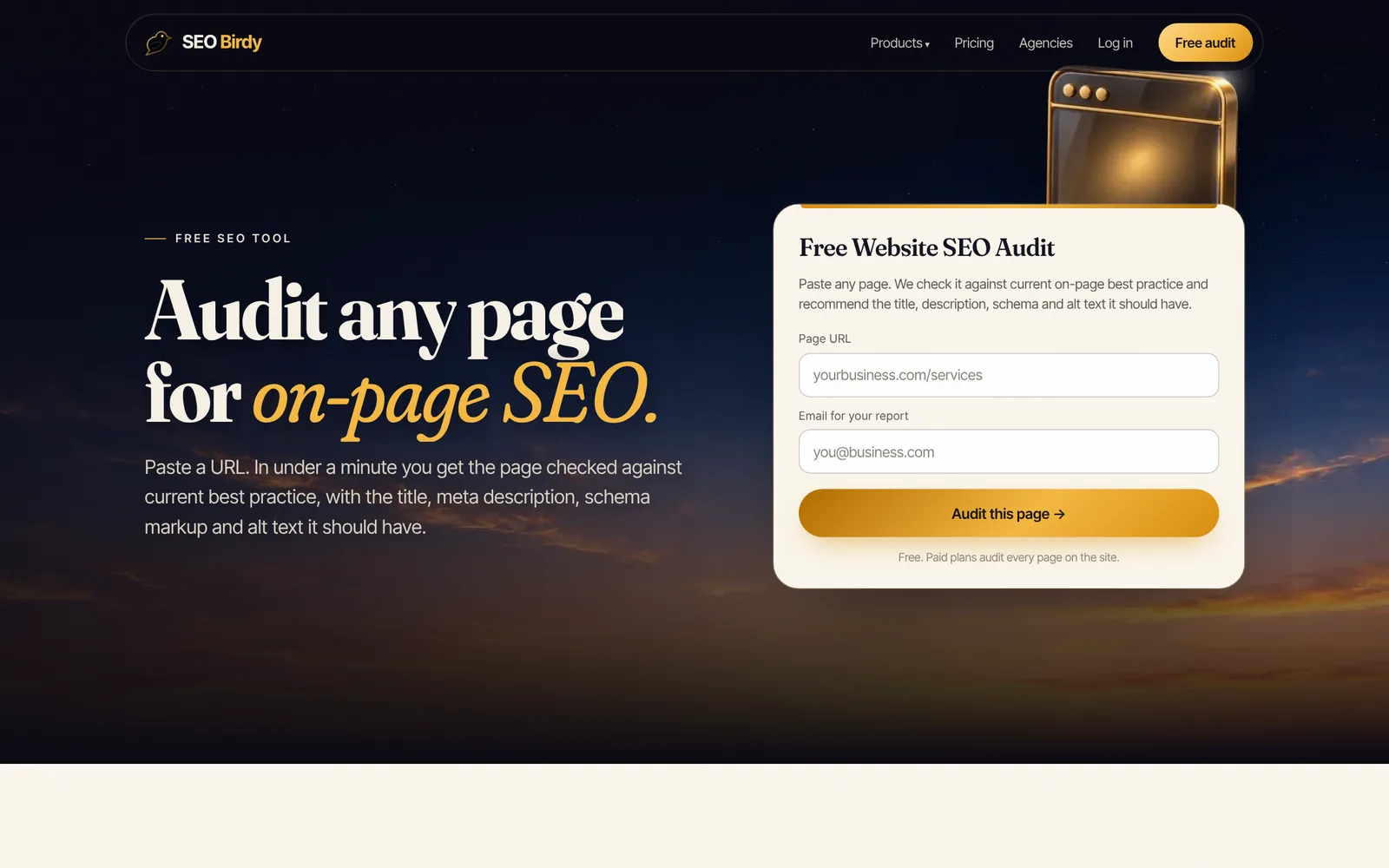
How to do an SEO audit without using a tool
You can check the basics by hand. Open the page, right-click and choose View Page Source, then search (Ctrl+F) for:
<title>andname="description": are they there, and do they describe this page?noindex: if it appears in a robots meta tag, the page is telling Google not to list it.rel="canonical": does it point to this page's own URL?application/ld+json: is there structured data, and is it the right type?<h1: is there exactly one?<img: does each meaningful image have analtattribute?
A manual check misses HTTP headers (an X-Robots-Tag noindex never shows in the source), which is why a tool is worth the minute.
On-page, technical, local and off-page audits: what's the difference?
SEO audits come in four kinds. An on-page audit checks one page's content and markup. A technical audit checks how the whole site is crawled, indexed and served. A local SEO audit checks how a business shows up in maps and nearby searches. An off-page audit checks links and mentions from other sites, usually against competitors.
| Audit type | What it covers | Free way to start |
|---|---|---|
| On-page | Title, meta description, headings, content, alt text, schema, internal links | A free page audit tool, page by page |
| Technical | Indexing, crawl errors, redirects, sitemaps, robots.txt, speed, HTTPS across all pages | Search Console's Page indexing report, PageSpeed Insights |
| Local | Google Business Profile, map pack position, reviews, NAP consistency, LocalBusiness schema | A free local SEO audit that checks Maps and AI answers |
| Off-page and competitor | Links from other sites, brand mentions, what competitors cover that you don't | Search Console's Links report, manual competitor review |
For the full on-page list, see our on-page SEO checklist. For crawling, redirects and site health across every page, use the technical SEO checklist.
Free local SEO audit for businesses that serve an area
If customers find you on Google Maps, your website is only one of three things to audit. A free local SEO audit should also check your Google Business Profile (categories, hours, photos, reviews) and your position in the map pack for your main service and city. Google says local ranking is mainly based on relevance, distance and popularity: complete business information helps with relevance, and reviews help with popularity.
On the website side, the homepage should name your city, show a tap-to-call phone number and carry LocalBusiness structured data with your name, address and phone. Our guide to local business schema has copy-ready examples, and the local SEO checklist covers the rest.
Free SEO competitor analysis
You don't need a paid tool to start a competitor analysis. Search your main service and city, open the top three results, and audit each one as you audited your own page. Compare titles, depth, the questions each answers, and whether they show reviews, prices or FAQs. The gaps are usually obvious within ten minutes.
For content gaps, the Fan-Out Map has a battle mode that maps a competitor's page against the same keyword, so you can see, aspect by aspect, which sub-questions they answer that you don't. Backlink analysis is harder to do for free. Search Console's Links report shows who links to you, but not to competitors.
How to read your SEO audit report and decide what to fix first
Read an SEO audit report from the top tier down: first anything that blocks indexing, then the signals that tell Google what the page is about, then structured data and links, then polish. A score is a summary. The ranked list of failing checks is what you act on.
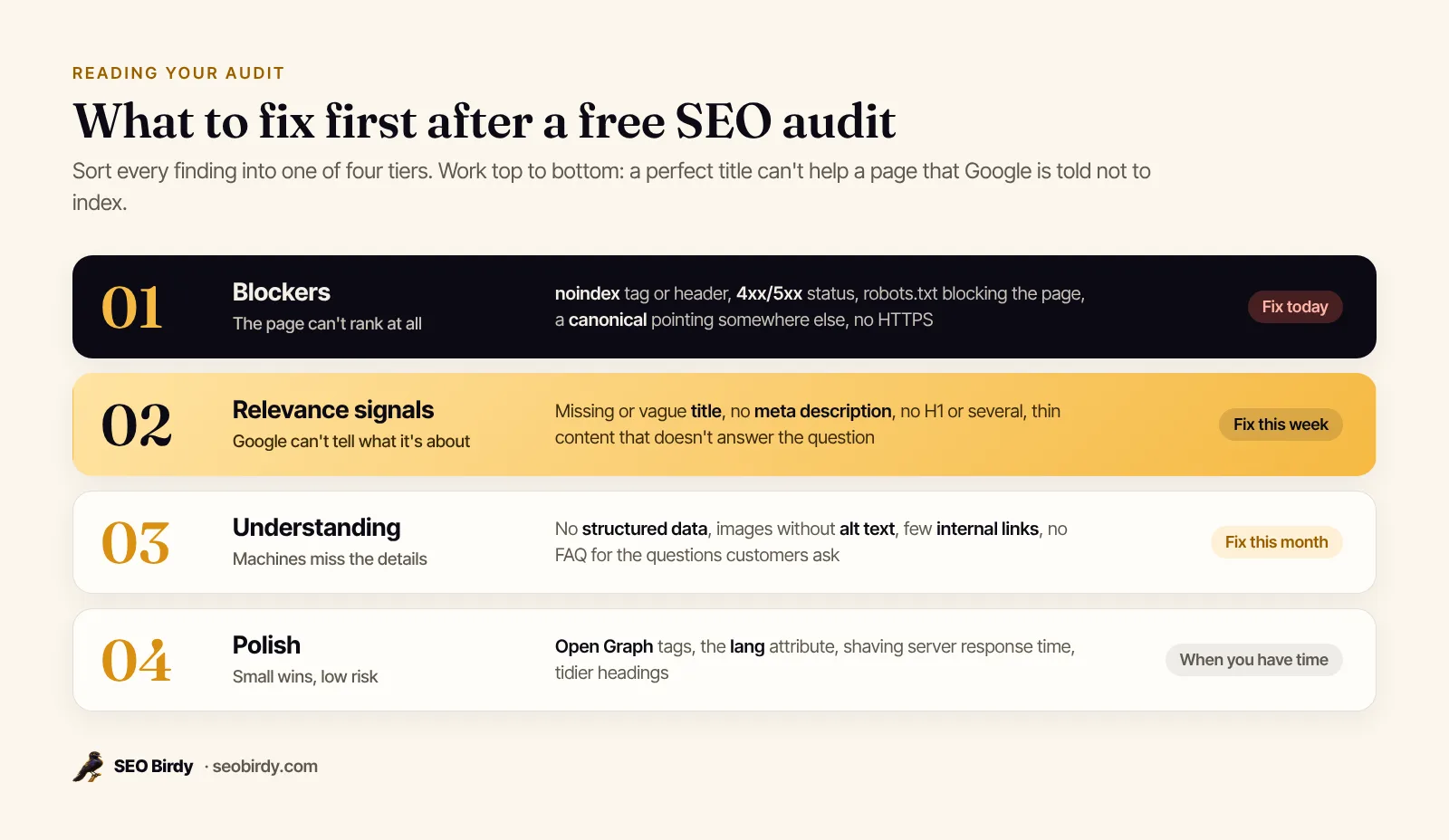
- Blockers (fix today). A noindex tag, a 4xx or 5xx status, robots.txt blocking the page, or a canonical pointing somewhere else. Google's documentation is clear that a page with a noindex rule is dropped from search results even if other sites link to it. Our guides to the noindex tag and pages not indexed by Google cover the fixes.
- Relevance signals (this week). Missing or vague titles and descriptions, no H1 or several, and thin content. These decide whether the page matches the search and whether people click.
- Understanding (this month). Structured data, alt text, internal links and FAQs. They help search engines and AI assistants confirm details about your business. See our alt text for SEO guide for writing image descriptions that help.
- Polish (when you have time). Open Graph tags, the language attribute, small speed gains.
What is a good SEO score?
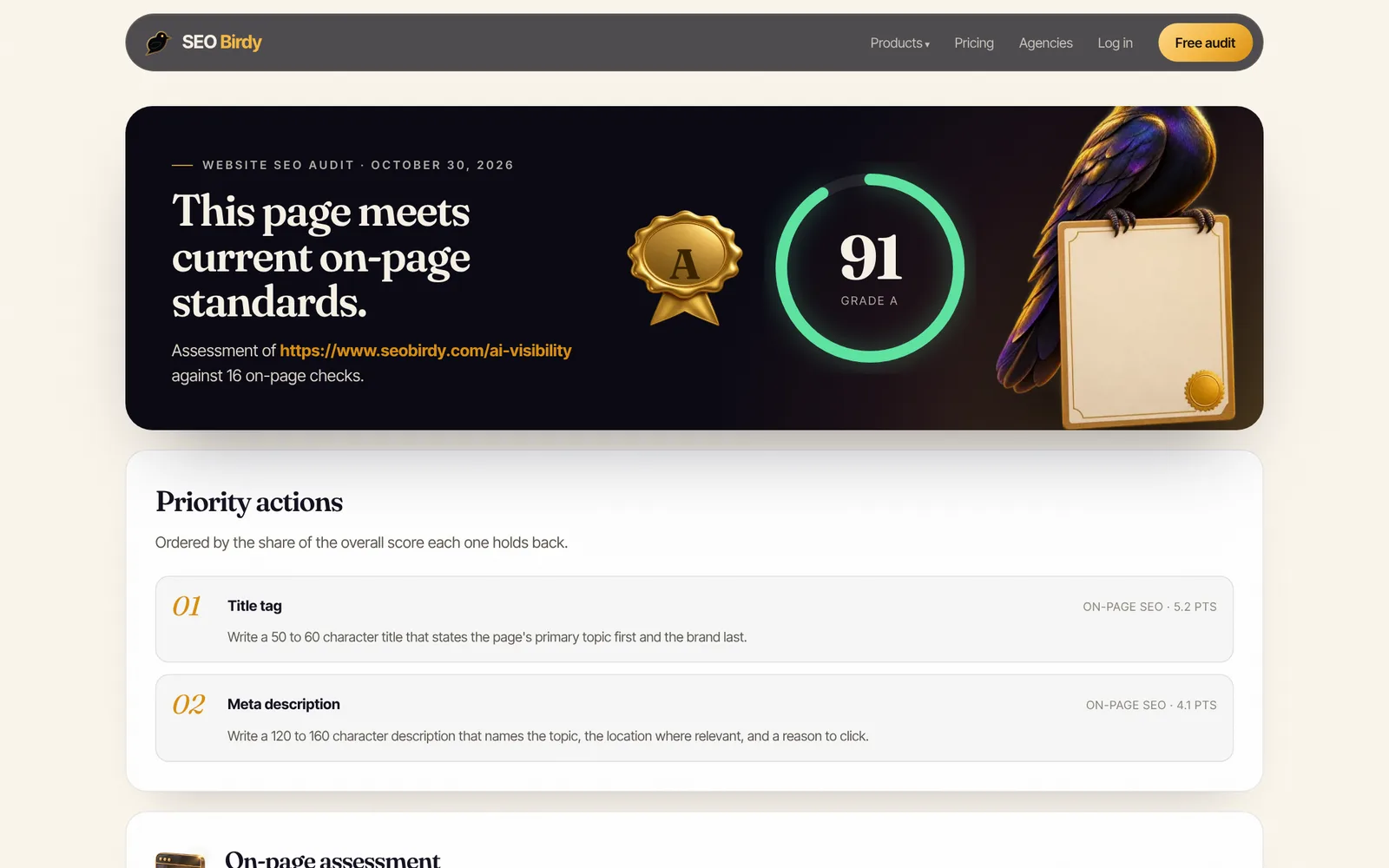
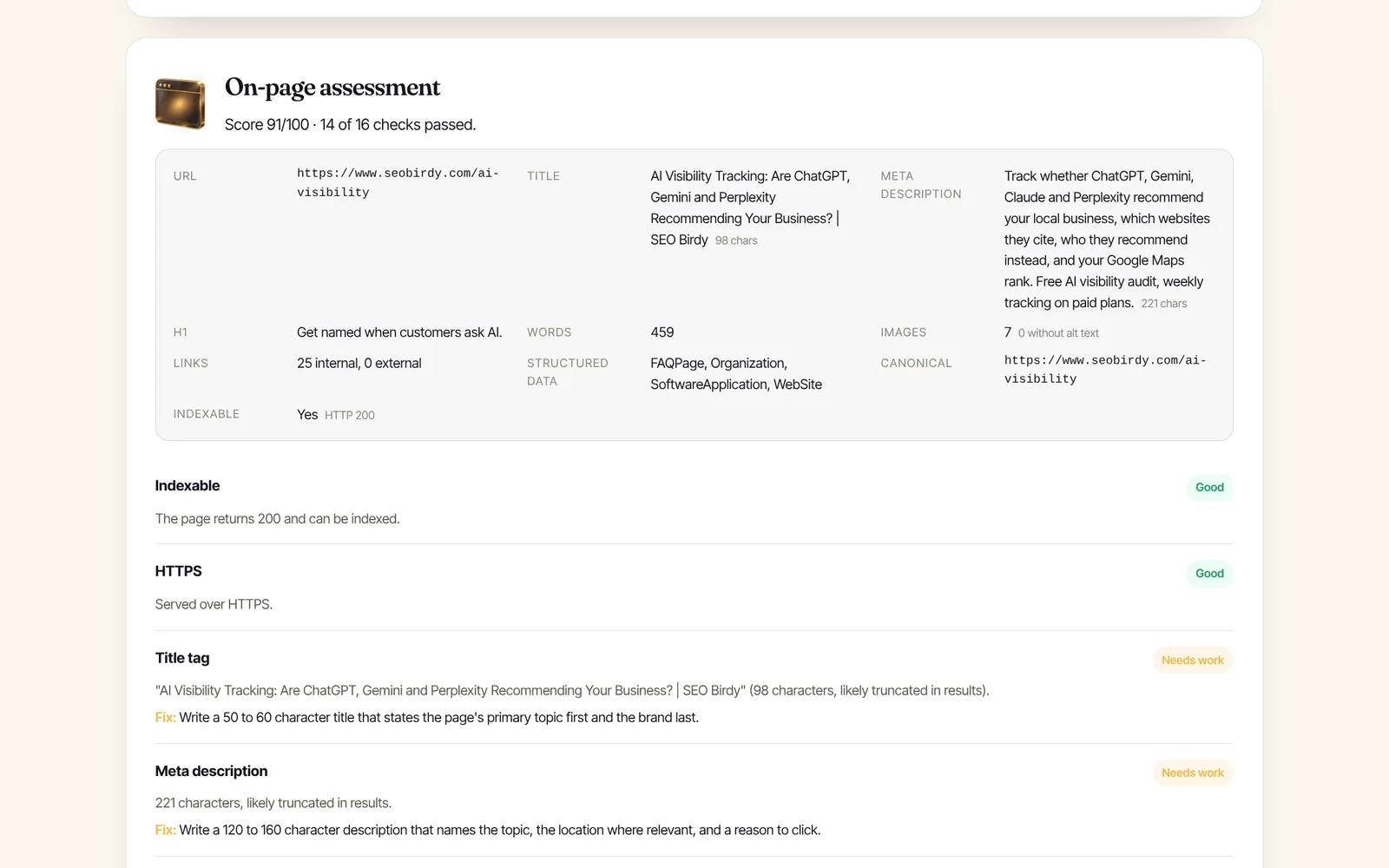
There's no universal scale, because every tool weighs checks differently. In our Website SEO Audit, each check carries a weight (indexability counts most), the score is the share of points earned, and grades run A from 85, B from 70, C from 55 and D from 40. A page at 91 with two title and description warnings is in good shape. A page at 60 with a noindex tag is not, whatever the number says. Always read the failing checks.
How to fix SEO audit issues without breaking anything
Change one thing at a time on your most important page, note the date, and check it in Search Console's URL Inspection tool afterwards. Google's SEO Starter Guide says some changes take effect in a few hours and others take several months, and suggests waiting a few weeks before judging the result. Keep a simple improvement plan: page, change, date, result.
Free vs paid SEO audits: what you get and what it costs
A free SEO audit covers the mechanical checks on one page or a handful of pages. A paid audit adds scale (every page on the site), judgment (strategy, competitors, links) and someone to do the work. What an SEO audit costs depends on the site's size and depth of analysis, so the useful question is what's included, not the price tag.
| Free audit tool | Paid tool, full site | Consultant or agency audit | |
|---|---|---|---|
| Pages | One at a time | Every page in the sitemap | Every page, plus strategy |
| On-page checks | Yes | Yes, rolled up by issue | Yes |
| Technical crawl | Basics for one page | Yes | Yes, with manual review |
| Competitors and links | No | Limited | Usually |
| Fixes written for you | Some tools | Some tools | Usually, as a plan |
| Who does the work | You | You | Often them, for a fee |
Many agencies offer free SEO audit services as a way to start a sales conversation. That's fine, but Google's guidance on hiring an SEO says to grant only read access to Search Console at this stage, and to check any tool-based recommendations against official Google guidance before making big changes.
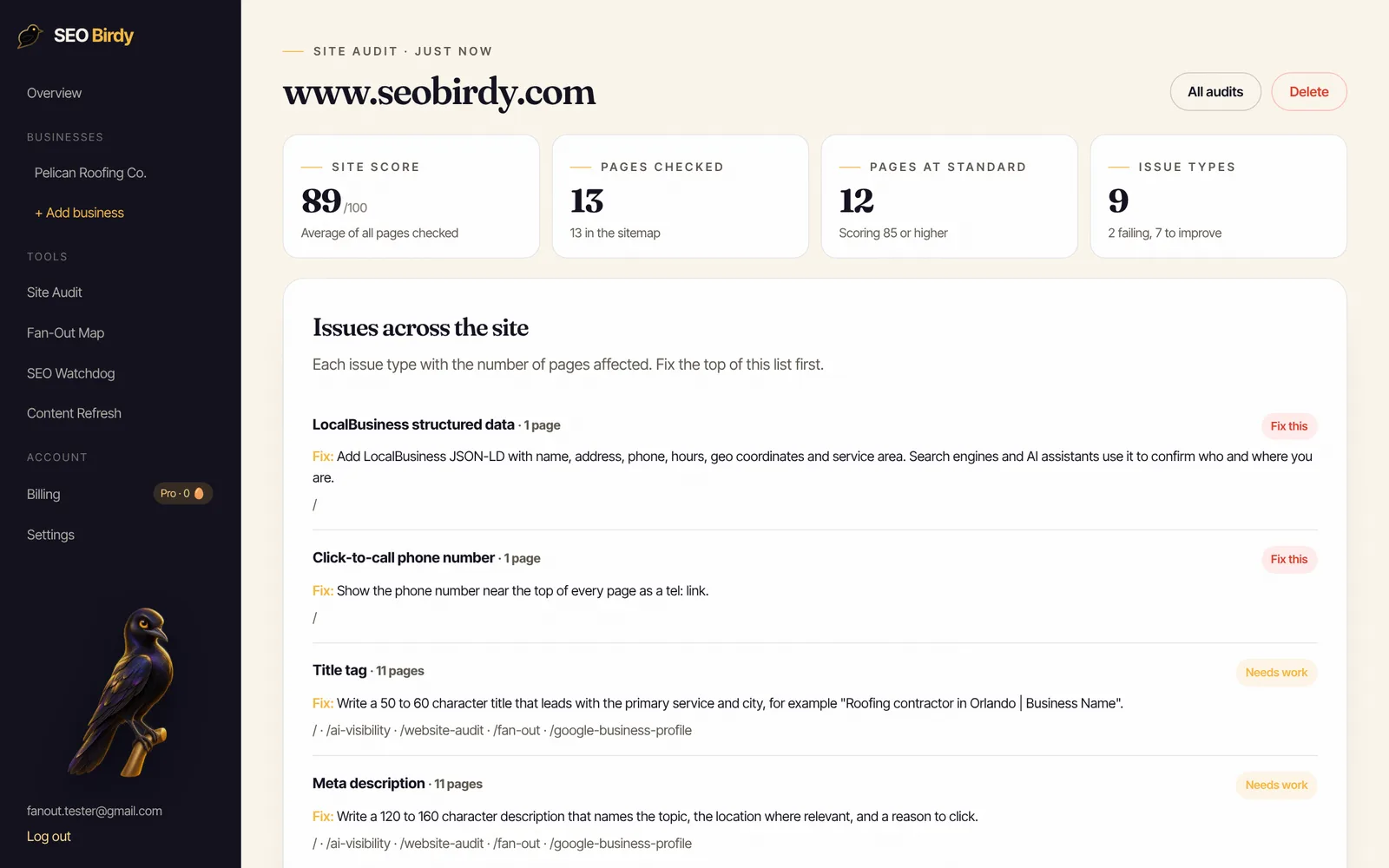
Paid SEO Birdy plans audit every page in your sitemap and roll issues up by type, so you see that 11 pages need better titles instead of reading 11 reports. Starter audits up to 50 pages, Growth 150 and Pro 500 (see pricing). Agencies that want to hand clients a branded free SEO audit can use our white-label program.
Can AI do an SEO audit?
AI can help with an SEO audit but can't do all of it. An assistant like ChatGPT can review pasted text, suggest better titles and rewrite thin sections. It can't reliably read live HTTP headers, see what Google has indexed or measure load times, so pair it with a crawler-based audit and Search Console.
The better question for 2026 is whether your audit covers AI search. Google says there are no extra requirements to appear in AI Overviews or AI Mode beyond normal SEO, and that both may use a "query fan-out" technique: running many related searches across subtopics before answering. So the same audit basics apply, plus two new checks:
- Are you recommended? Ask the questions your customers ask. Our free AI Visibility Audit asks ChatGPT, Gemini, Claude and Perplexity real buyer questions for your service and city, and shows whether you're named and who's named instead. More on this in our guide to AI search visibility.
- Does your page answer the sub-questions? A Fan-Out Map splits a keyword into the 100+ sub-queries AI search asks and marks which ones your page covers. Our explainer on query fan-out shows how it works.
When someone offers a free SEO and GEO audit, meaning one that also covers generative engine optimization, this is what it should add: the normal SEO basics plus these two checks.
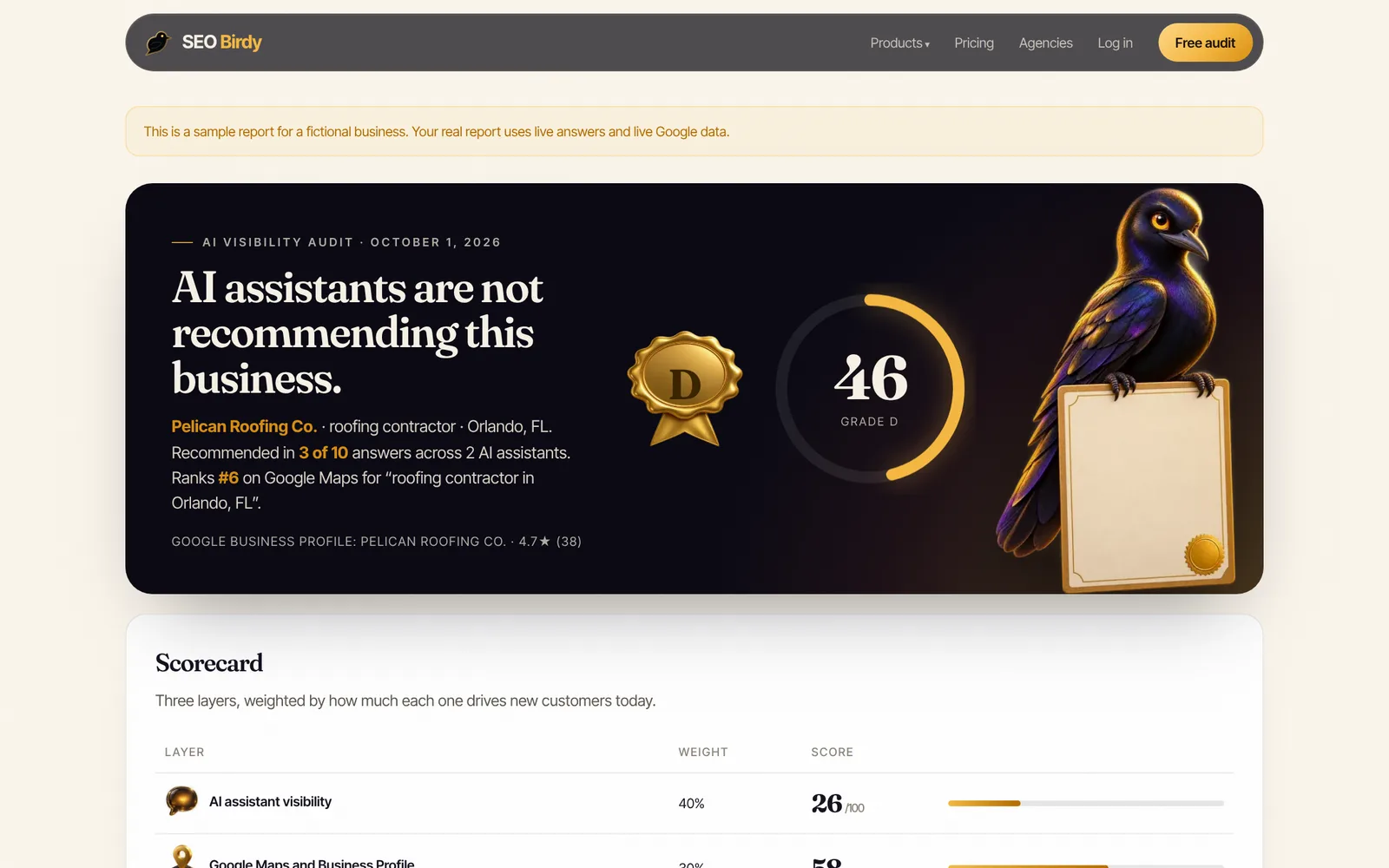
Check the half of local SEO a page audit can't see. The free AI Visibility Audit asks four AI assistants the questions your customers ask, checks your Google Maps position and scores your homepage, then ranks the fixes.
Run the free AI Visibility Audit →How long does an SEO audit take, and how often should you do one?
A free page audit takes under a minute. A manual audit of a small business site takes about 30 minutes to a few hours, and a full technical audit of a large site can take days. Run one after every redesign, migration or plugin update, and a quick pass every quarter.
The riskiest moments are changes you didn't plan as SEO work: a theme update that adds noindex everywhere, a migration that drops redirects, or a staging setting left on after launch. A quarterly audit finds that three months late, and even a monthly SEO audit can miss weeks of lost traffic. For sites that change often, SEO Watchdog checks every day for noindex tags, broken pages, robots.txt changes, lost schema and SSL expiry, and emails you the same day.
If the audit is clean but traffic is still falling, the problem is usually the content, not the code. That's content decay, and it needs a different fix.
SEO audit report template: what to include
A useful SEO audit report fits on one page: a summary, the pages checked, every issue with its tier, the fix, who owns it and the date it's done. Fancy charts are optional. Here is a simple SEO audit template you can copy into a Google Sheet or Excel file.
| Page | Issue | Tier | Fix | Owner | Done |
|---|---|---|---|---|---|
| /services/roof-repair | noindex tag in robots meta | 1 Blocker | Remove noindex, request indexing | Web developer | |
| / (homepage) | Title has no city | 2 Relevance | "Roof Repair in Tampa, FL | Example Roofing" | Owner | |
| / (homepage) | No LocalBusiness schema | 3 Understanding | Add JSON-LD with name, address, phone, hours | Web developer | |
| /about | 4 images without alt text | 3 Understanding | Describe each photo in a short phrase | Owner | |
| All pages | No Open Graph image | 4 Polish | Add a 1200×630 og:image | Web developer |
The format matters less than the order: spreadsheet, document or PDF all work. Start the report with three lines: the overall state ("two blockers, five relevance fixes"), the single most important fix, and when you'll re-check. The rows above are fictional, but that's the shape of a good report: short, ranked and owned.
Want a printable SEO audit checklist to work from instead? Our on-page SEO checklist comes with a PDF, and the SEO content brief template helps when the fix is rewriting a page.
Frequently asked questions
Is a free SEO audit worth it?
Yes, as long as you know what it covers. A free SEO audit tool reliably catches the mechanical problems that stop a page from ranking: noindex tags, missing titles, absent structured data, images without alt text, slow responses. It can't judge your market, your competitors' links or whether your offer is the best answer. Use it to clear the blockers, then decide whether you need deeper help.
Can I get a free SEO audit without signing up?
Yes. SEO Birdy's Website SEO Audit needs no account: paste a page URL and an email address for the report, and you get the score, the itemized checks and written fixes in under a minute. Google Search Console and PageSpeed Insights are also free. Search Console needs you to verify that you own the site; PageSpeed Insights needs nothing.
How much does an SEO audit cost?
A single-page audit from a free tool costs nothing. Paid audits from consultants and agencies vary widely with the size of the site and how deep the work goes, from a short review to a full technical, content and link analysis. Ask what is included, who does the work, and whether you get a prioritized fix list with estimates, which is what Google says an audit should give you.
Can ChatGPT do an SEO audit?
Partly. If you paste in a page's HTML or text, an AI assistant can comment on the title, headings and copy. It can't reliably fetch the live page, read HTTP headers, see what Google has indexed or measure speed, so it misses the technical half of an audit. Use a crawler-based tool for the checks and AI for rewriting the parts that fail.
How often should I run an SEO audit?
Audit your key pages after any redesign, theme change, plugin update, migration or big content edit, since those are when noindex tags and broken canonicals slip in. Otherwise a quick audit every quarter is enough for most small business sites. If your site changes often, daily monitoring catches problems the day they happen instead of months later.
What is a good SEO audit score?
Scores aren't comparable between tools because each weighs different checks. In SEO Birdy's Website SEO Audit, 85 or higher is an A and means the page meets current on-page practice; 70 to 84 is a B with a few fixes worth making. More useful than the number is the list of failing checks, ranked by how many points each holds back.
What is the difference between a free local SEO audit and a website audit?
A website audit checks the page itself: indexability, titles, headings, schema and speed. A local SEO audit adds the things that decide whether nearby customers find you: your Google Business Profile, your position in the map pack, reviews, LocalBusiness schema and whether AI assistants recommend you for your service and city. Local businesses need both.
We build SEO Birdy's audits and autopilots, and we test every recommendation against live search results and AI answers before we publish it. Our guides follow Google Search Central and Bing Webmaster guidelines.