Alt text for SEO: how to write image alt text that helps people and rankings
How to write alt text for SEO and accessibility: what Google does with it, how long it should be, which images need it, and real examples for local businesses.


Alt text for SEO is a short written description of an image, placed in the image's HTML alt attribute, that tells search engines and screen reader users what the image shows. Google says it uses alt text, along with computer vision and the surrounding page, to understand images, so a specific, honest description helps your images rank and makes your pages accessible.
This guide shows you how to write good alt text, how long it should be, which images need it and which should have none, and how to add and check it on WordPress, Shopify and other platforms. It's full of examples from local businesses, because "Roofer replacing shingles on a two-story home in Tampa" teaches more than any rule.
What is alt text?
Alt text, short for alternative text, is the text in an image's alt attribute that stands in for the image when someone can't see it. Screen readers read it aloud, browsers show it if the image fails to load, and search engines read it to understand the image. Visitors who can see the image never see the alt text.
In HTML it looks like this:
<img src="water-heater-repair-tampa.jpg" alt="Technician replacing a water heater in a Tampa garage">
People often call it an "alt tag", but strictly it's an attribute of the img tag. Alt tag and alt text mean the same thing in practice.
MDN's reference for the img element lists three things alt text does:
- Screen readers: read the alt text so blind and low-vision visitors know what the image is.
- Failed images: alt text is displayed if the image can't load, because of network errors, content blocking or link rot.
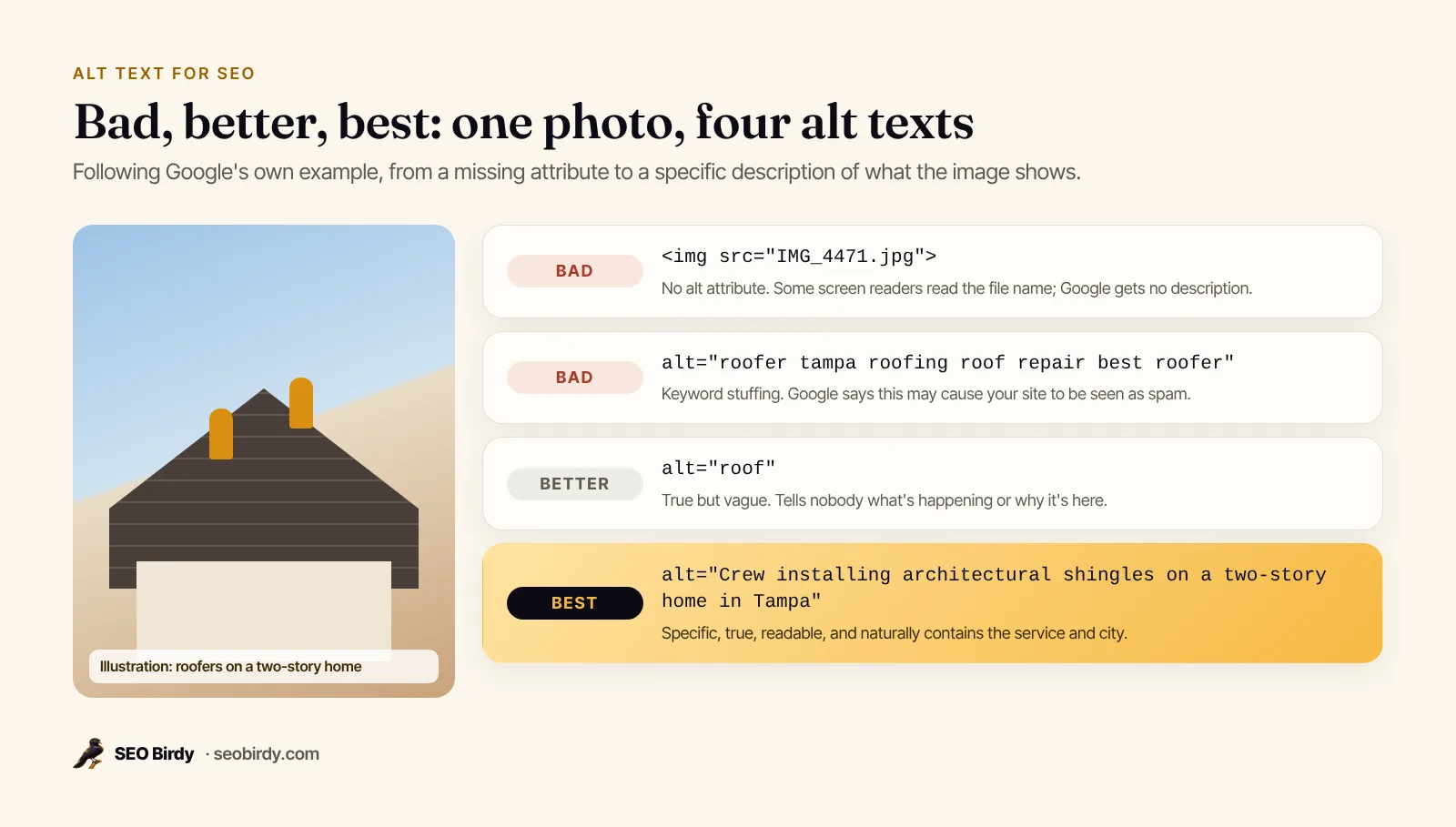
- Missing alt: when there's no alt attribute at all, some screen readers announce the file name instead, which is confusing when it's
IMG_4471.jpg.
Does alt text help SEO?
Yes. Google calls alt text the most important attribute for providing metadata about an image, and says it uses alt text along with computer vision and the page's content to understand what an image is about. Good alt text helps images appear in Google Images, and when an image is a link, its alt text works as the link's anchor text.
Google's image SEO best practices are the source for all of this:
- Alt text is "the most important attribute when it comes to providing more metadata for an image."
- Google uses alt text "along with computer vision algorithms and the contents of the page" to understand the subject.
- Alt text "is useful as anchor text if you decide to use an image as a link."
- Filling alt attributes with keywords "may cause your site to be seen as spam."
The SEO Starter Guide adds that alt text is a short but descriptive piece of text that explains the relationship between the image and your content. That last part matters: alt text isn't only "what's in the picture", it's why the picture is on this page.
How much does alt text affect SEO? Its biggest impact is on the images themselves: whether they're understood and shown in Google Images, and whether image links pass a clear signal. It improves SEO for the page around it by adding relevant, descriptive text, but it won't make a thin page rank on its own.
Is alt text still important for SEO with AI search? More so. AI features and assistants work from what they can read. Google's page on AI features and your website asks site owners to make sure important content is available in textual form. An image's alt text is that textual form.
Alt text also matters beyond search. The W3C's WCAG success criterion 1.1.1, Non-text Content, asks for text alternatives for images, and the U.S. Department of Justice's web accessibility guidance says text alternatives convey the purpose of an image and should be short and descriptive.
Is alt text required by law? The same DOJ guidance says the ADA's requirements apply to the goods and services businesses open to the public offer on the web, and WCAG is the technical standard commonly used to meet them. Talk to a lawyer about your specific obligations; from an SEO point of view, the answer is simply to do it.
How to write good alt text in 5 steps
Write good alt text, and optimize it for SEO at the same time, by asking what the image shows and why it's on this page, then saying that in a few specific words. Lead with the important detail, include the place or product when it's genuinely in the picture, skip phrases like "image of", and stop when the meaning is clear. Most good alt text is under one sentence.
- Decide why the image is there. Is it proof of work, a product, a person, a chart, a button or decoration? The purpose decides the alt text. WebAIM's alt text guide notes that the same image may need very different alt text depending on how it's used.
- Describe the important detail first. "Dental hygienist showing a child how to brush" beats "Woman and child in a room".
- Be specific. Google's own example moves from
alt="puppy"(better) toalt="Dalmatian puppy playing fetch"(best). Specific nouns and actions do the work. - Add the keyword only if it's true. If the photo shows a finished kitchen remodel in Austin, say so. If it shows a stock photo of a smiling family, don't pretend it's your service.
- Cut the filler. WebAIM says alt text shouldn't include phrases like "image of" or "graphic of". Screen readers typically tell users it's an image already. Say "photo" or "illustration" only when the medium matters.
Alt text examples for local business photos
The best alt text examples for SEO describe the job, the product or the place exactly as the photo shows it. Here are real-world patterns for local businesses, from a bad version to a good one. Notice that the good versions contain the service and city naturally, because the photos actually show them.
| Image | Weak alt text | Good alt text |
|---|---|---|
| Roof replacement photo | roofing tampa roofer best roof | Crew installing architectural shingles on a two-story home in Tampa |
| Dental office | dentist | Patient chair and digital X-ray screen in a treatment room at Example Family Dental |
| Restaurant dish | food | Three carnitas tacos with pickled onions and lime on a blue plate |
| Hair salon | salon image | Stylist blow-drying a client's shoulder-length balayage |
| Plumber at work | plumbing services plumber near me | Plumber replacing a corroded shut-off valve under a kitchen sink |
| Team photo | team | The five-person Example Plumbing team standing beside their service vans |
| Before-and-after | before after | Bathroom before and after remodel: cracked tile replaced with a walk-in shower |
| Logo in the header, linked home | logo | Example Plumbing Co. home |
| Map screenshot | map | Service area map covering Tampa, St. Petersburg and Brandon |
What about alt text vs image description examples? A long image description, for a chart or an infographic, belongs in the page text or a caption. The alt text then summarizes it: Bar chart of average monthly water bills by household size, described below.
How long should alt text be?
Alt text should be as short as it can be while still conveying the image's meaning, which usually means a few words to one sentence. Neither Google nor the W3C sets a character limit. WebAIM says typically only a few words are necessary, and rarely a short sentence or two. If you need more, the detail belongs on the page.
There's no official image alt text character limit in HTML. Some platforms set their own: Shopify's help page on adding alt text to product media gives a maximum of 512 characters and recommends 125 or less. Treat those as platform caps, not SEO rules.
How long can image alt text be before it stops helping? When it starts repeating the caption, listing keywords or describing things that don't matter, such as the color of a wall behind the technician. Length is a symptom; relevance is the test.
Which images need alt text, and which should be empty?
Every image needs an alt attribute, but not every image needs words in it. Images that carry information or act as links need descriptive alt text. Purely decorative images, and images whose content is already in the text next to them, should have an empty alt (alt="") so screen readers skip them.
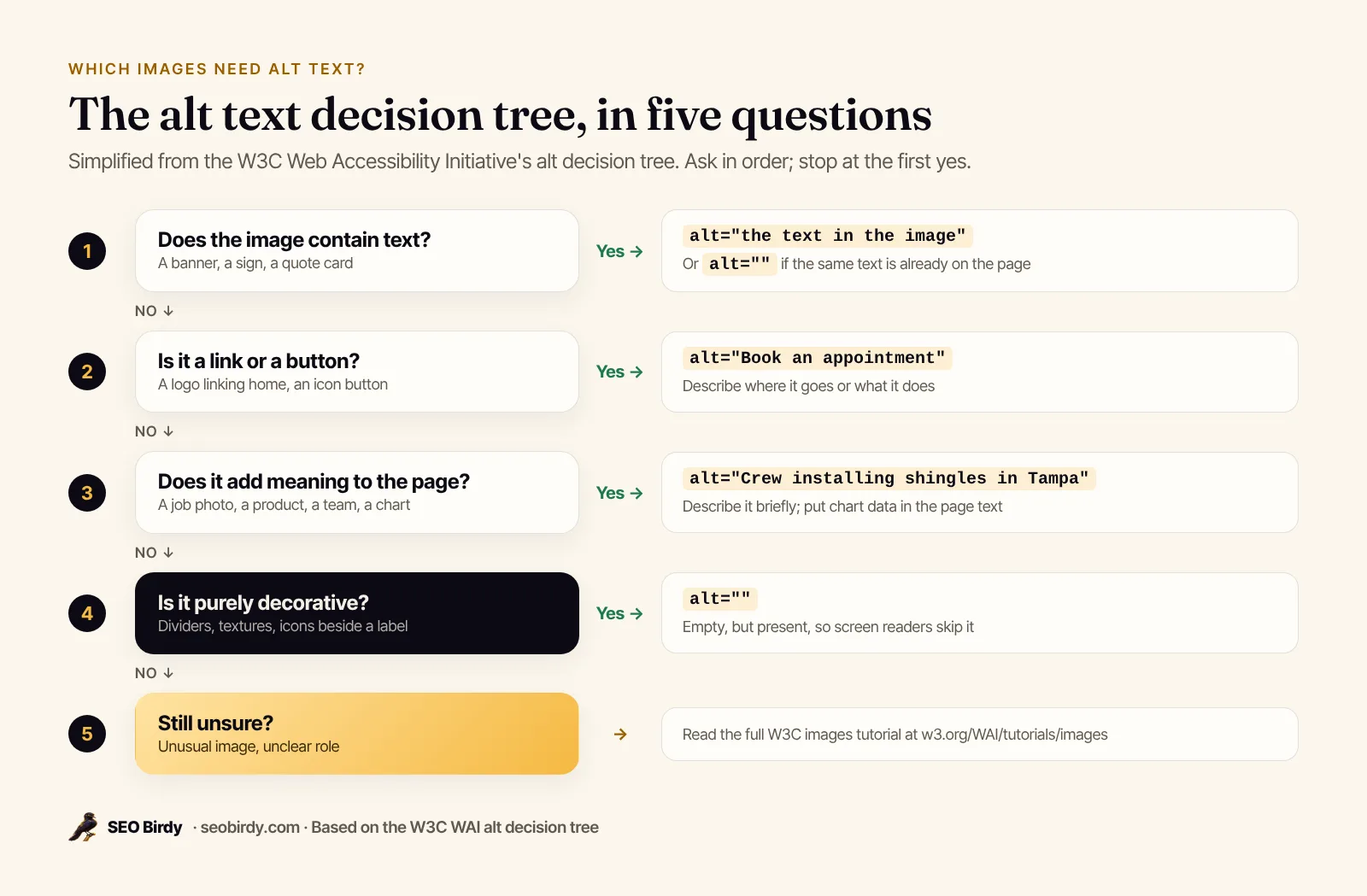
The W3C's alt decision tree works through five questions in order. Here's the short version:
- Does the image contain text? If the same text is on the page, use an empty alt. If not, put the text in the alt.
- Is it a link or a button? Describe where it goes or what it does:
alt="Book an appointment", notalt="calendar icon". - Does it add meaning? Describe it briefly. For charts and complex graphics, put the full information on the page.
- Is it decorative? Use
alt="". - None of the above? See the full W3C images tutorial.
A few cases trip people up:
- Logos: a logo that links to your homepage is functional, so describe the destination:
Example Roofing home. - Images of text: a banner that says "Free estimates this week" needs that text in the alt, or better, real text on the page.
- Background images: CSS background images can't take alt text, and Google says it doesn't index CSS images. If an image matters, use an
<img>element. - Icons next to labels: a phone icon beside the words "Call us" is decorative; use
alt="".
Alt text in HTML and Markdown
In HTML, alt text goes in the alt attribute of the img element. In Markdown, it goes between the square brackets. Write the attribute on every image: with words for meaningful images, and empty for decorative ones. An image with no alt attribute at all is the one case that's always wrong.
<!-- Informative image -->
<img src="kitchen-remodel-austin.jpg" alt="White shaker cabinets and quartz counters in a remodeled Austin kitchen">

<!-- Decorative image: empty alt, screen readers skip it -->
<img src="divider-wave.svg" alt="">

<!-- Linked image: describe the destination -->
<a href="/book"><img src="calendar.svg" alt="Book an appointment"></a>

<!-- Image with a visible caption: alt and caption say different things -->
<figure>
  <img src="crew-roof.jpg" alt="Crew installing shingles on a two-story home">
  <figcaption>Our Tampa crew on a full replacement, finished in two days.</figcaption>
</figure>
In Markdown the alt text sits in the brackets: .
What does "images should have alt text defined" or "image alternative text is not present" mean in an audit? The image has no alt attribute. Why is image alt text not showing? It isn't supposed to show unless the image fails to load; it isn't a hover tooltip. The title attribute creates the tooltip, and MDN says title is not an acceptable substitute for alt.
Alt text vs title, caption, filename and description
Each image field does a different job. Here's how they compare:
| Field | Who sees it | What it's for |
|---|---|---|
| Alt text | Screen reader users, search engines, anyone if the image fails | What the image shows and why it's there |
| Caption | Everyone, under the image | Context, credit, the story behind the photo |
| Title attribute | Mouse users on hover, inconsistently | Optional extra info; not a substitute for alt |
| Filename | Search engines, lightly | Google says the filename can give "very light clues" |
| Description (CMS field) | Usually only you, or an attachment page | Internal notes or a long description |
Can image title and alt text be the same? They can, but MDN advises against duplicating alt in a title attribute because some screen readers announce both. Leave the title empty unless you have something else to say.
How to add alt text in WordPress, Shopify, Squarespace, Wix and Instagram
Every major website builder and social platform has an alt text field in its image settings. The field name varies, but the writing rules don't. Add alt text when you upload an image, so it becomes the default everywhere the image is used, then adjust it on pages where the image plays a different role.
- WordPress: select an Image block and use the Alternative text field in the block settings, or set it in the Media Library. WordPress's Image block documentation explains that alt text added in the block only applies to that post, while the Media Library sets the default. There's also a "Mark as decorative" option. If image alt text isn't showing in WordPress, check whether the block overrides the Media Library value.
- Shopify: open a product, select a media item and add alt text from its preview, as described in Shopify's alt text help page.
- Squarespace: edit an image block and fill in the image alt text field in its content settings. Product images have alt text in their metadata.
- Wix: select the image, open its settings and fill in the field that asks what's in the image.
- Instagram: before posting, open Advanced settings and write alt text; you can also edit it on a published post. Instagram's help article covers both. It helps screen reader users on Instagram; it won't rank your website.
How to check your site's alt text
Check alt text by auditing each page for images with missing or weak alt attributes. For one image, right-click it and choose Inspect to see the alt in the HTML. For a whole page or site, use an audit tool that lists every image without alt text and suggests a description from the page's context.
Ways to see and check image alt text:
- Inspect one image. Right-click, Inspect, and read the
altattribute in the highlightedimgtag. - Audit a page. The free Website SEO Audit lists every image without alt text and suggests descriptions written from the page's own content.
- Audit the whole site. Paid SEO Birdy plans audit every page in your sitemap, up to the plan's page limit, and group issues by type, so you can fix missing alt text in bulk.
- Spot-check with a screen reader. Turn on VoiceOver or NVDA and listen to a page. Bad alt text is obvious when you hear it.
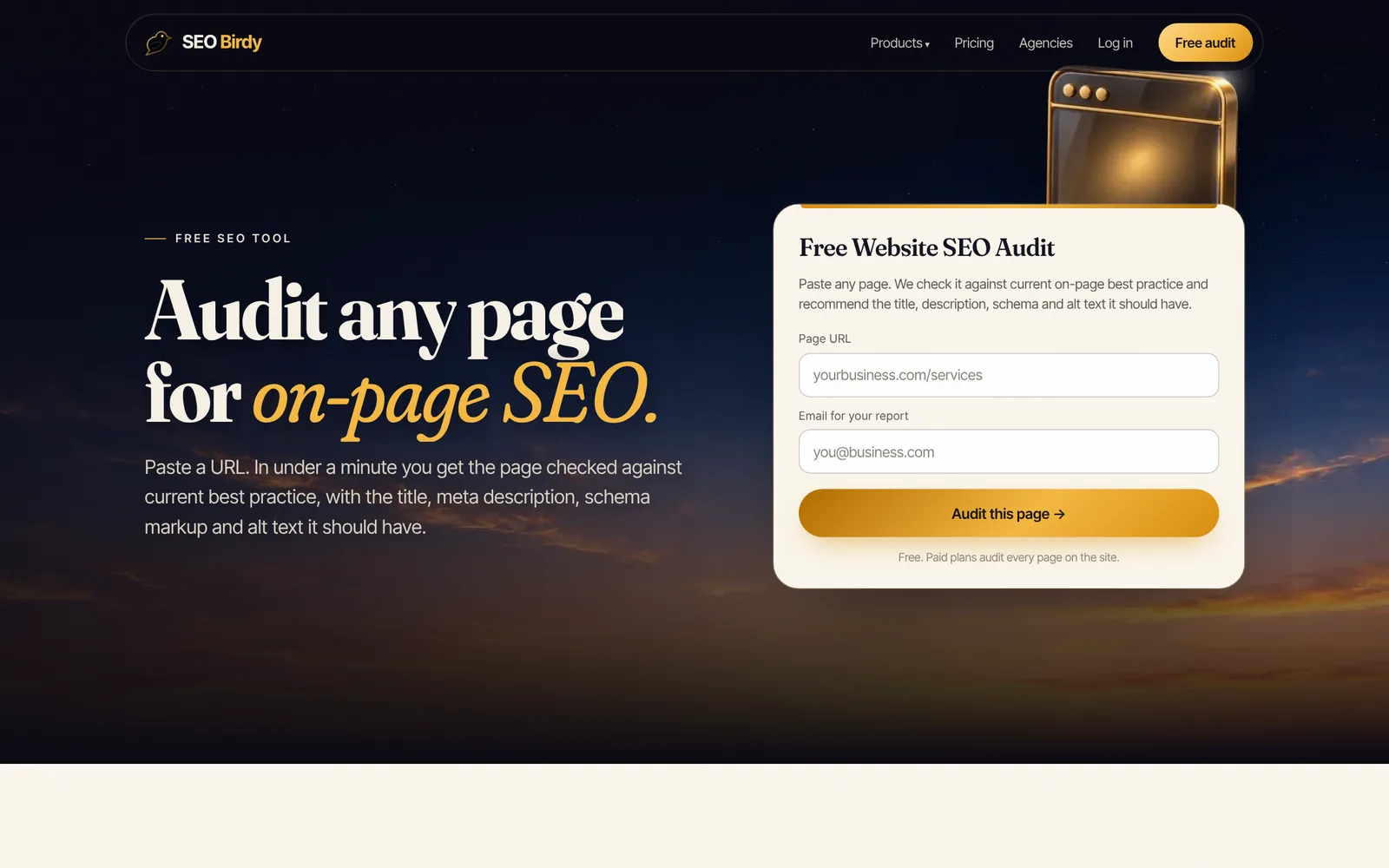
Find every image missing alt text. The free Website SEO Audit checks any page's images, headings, title, description and schema, and writes suggested alt text from the page's own context for you to review and paste in.
Audit a page for free →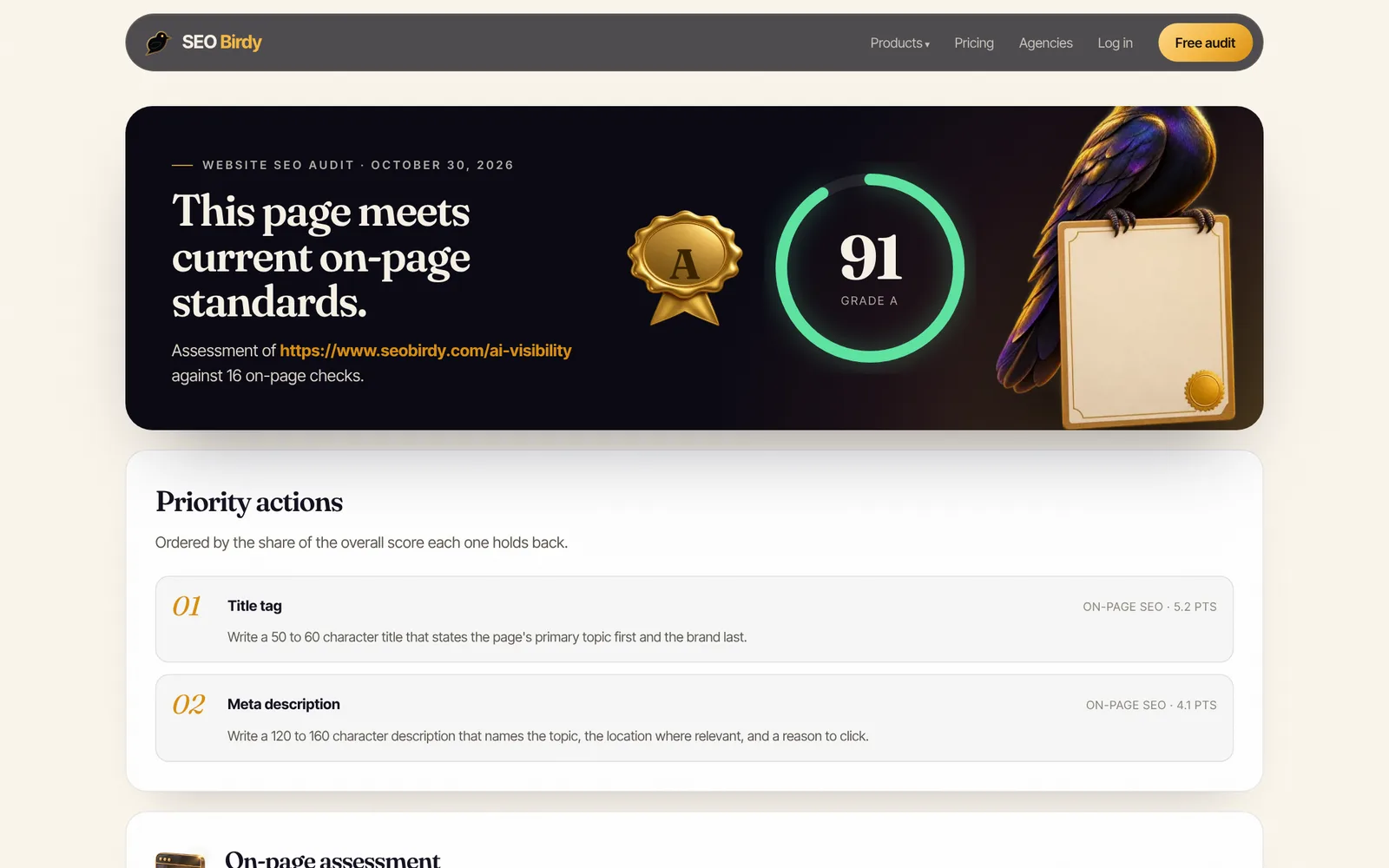
Should you use an AI alt text generator?
An image alt text generator, AI or otherwise, is useful for a first pass on a large library, but review every result. AI can say what's in a photo; it can't know why the photo is on your page, which job it shows or which town it was in. Edit drafts for context, and mark decorative images as decorative instead of describing them.
Alt text mistakes to avoid
The most common alt text mistakes are leaving the attribute out, stuffing keywords, writing the same alt on every image, starting with "image of", describing decoration, and repeating the caption word for word. Each one either wastes the field or, in the case of keyword stuffing, risks Google treating it as spam.
- Missing alt. Screen readers may read the file name. Always include the attribute.
- Keyword stuffing. "plumber tampa plumbing tampa best plumber" is exactly the kind of keyword list Google shows as a bad example.
- The same alt everywhere. Ten gallery photos all labeled "roof repair" tell nobody anything.
- "Image of" and "picture of". Redundant for screen readers.
- Describing decorative images. Clutter for screen reader users. Use
alt="". - Redundant captions. WebAIM says alt text shouldn't repeat nearby text; let alt and caption do different jobs.
Other image SEO basics
Alt text is one part of image SEO. Google's image SEO best practices also recommend:
- Descriptive filenames.
kitchen-remodel-austin.jpg, notIMG_4471.jpg. Google calls the filename a very light clue. - Images near relevant text, on pages about the same subject.
- Supported formats: Google supports BMP, GIF, JPEG, PNG, WebP, SVG and AVIF.
- Standard
<img>elements, since Google doesn't index CSS background images. - An image sitemap for images Google might not find otherwise.
- Reasonable file sizes so pages stay fast; lazy loading for images further down the page.
Alt text sits alongside titles, descriptions, headings and schema in on-page SEO. Work through the rest in the on-page SEO checklist, write better snippets with our guide on how to write a meta description, and add local business schema while you're editing the page. If your images are part of a local business site, the local SEO checklist shows where photos fit in the bigger picture.
Frequently asked questions
Does alt text help SEO?
Yes. Google says alt text is the most important attribute for giving it information about an image, and it uses alt text along with computer vision and the page's content to understand what an image shows. Good alt text helps your images appear in Google Images, works as anchor text when an image is a link, and makes the page usable for people with screen readers.
How long should alt text be?
As short as it can be while still conveying what matters, usually a few words to one sentence. Neither Google nor the W3C sets a character limit. WebAIM's guidance says typically only a few words are necessary, and rarely a short sentence or two. Some platforms set their own caps, so if your CMS cuts text off, shorten it rather than splitting the idea.
Should I put keywords in alt text?
Only when the keyword honestly describes the image. A photo of a technician repairing a water heater in a Tampa home can say that, and it naturally contains your service keyword. Google warns that filling alt attributes with keywords can cause your site to be seen as spam, so never list keywords or repeat the same phrase on every image.
Do decorative images need alt text?
They need an alt attribute, but it should be empty: alt="". An empty alt tells screen readers to skip the image, which is right for dividers, background textures and purely visual flourishes. Leaving the attribute out entirely is different and worse, because some screen readers then announce the file name. If an image adds no information, mark it decorative.
What is the difference between alt text and a caption?
Alt text replaces the image for people who can't see it and for search engines; it isn't shown on the page unless the image fails to load. A caption is visible text under the image that everyone reads. They shouldn't repeat each other. Use the caption for context or credit, and the alt text for what the image shows.
Can I use AI to write alt text?
You can use it for a first draft, especially on large image libraries, but review every result. AI can describe what's in a photo, but it doesn't know why the image is on your page, which job it shows, or the name of the town. Edit each draft for context and accuracy, and mark decorative images as decorative rather than describing them.
Does Instagram alt text help SEO?
Instagram lets you write custom alt text in a post's advanced settings, and it's read by screen readers. It mainly helps accessibility and helps Instagram understand the photo; it isn't a way to rank your website in Google. Write it the same way you would on your site: what the photo shows, briefly and specifically.
We build SEO Birdy's audits and autopilots, and we test every recommendation against live search results and AI answers before we publish it. Our guides follow Google Search Central and Bing Webmaster guidelines.