Google Business Profile optimization: the field-by-field checklist
Google Business Profile optimization, field by field: the rule Google sets for each one, photo specs, reviews, posts, and how to measure what's working.


Google Business Profile optimization means filling in every field of your profile accurately and by Google's rules, then keeping it active with photos, reviews, replies and updates, so Google can match you to more searches and customers choose you once they find you. Most of the work to maximize your profile is a one-time cleanup. The rest is a weekly habit.
This guide is the field-by-field version. For each part of the profile you'll get the rule Google sets, what to enter, what goes wrong, and how to check your work. It ends with how to measure results, what gets profiles suspended, and what optimization costs if you'd rather not do it yourself.
What is Google Business Profile optimization?
Google Business Profile optimization is the process of making your free Google listing complete, accurate and active, so it shows up for more relevant searches on Google Search and Maps and turns more viewers into calls, visits and bookings. It used to be called Google My Business (GMB) optimization. The profile was renamed, and the work is the same.
Google says local results are based on relevance, distance and prominence. Optimization works on relevance (matching searches) and prominence (reviews, reputation). You can't change distance, but you can make sure Google has your location right. We explain how those factors play out in the map pack in how to rank in Google Maps. This guide is about the profile itself.
How to set up and verify a Google Business Profile
Create or claim your profile at Google Business Profile with a Google account you'll keep long term, add your name, category and address or service area, then verify. Verification is the first optimization step: you can't reply to reviews until you're verified, posts from unverified profiles stay pending, and Google says verified businesses are more likely to show in search results.
- Search for your business on Google Maps. If it's already listed, claim it. If not, add it.
- Enter your business name exactly as customers see it on your sign.
- Choose your primary category (more on that below).
- Add your address if customers visit you, or your service areas if you travel to them.
- Add your phone number and website.
- Verify.
How long does Google Business Profile verification take?
Google offers phone or text, email, video recording, live video call and postcard verification, depending on the business. Google's verification help page says reviews take up to five business days after you complete the steps, postcards usually arrive within 14 days, and postcard codes expire after 30 days. If verification fails, check that your name, address and category follow the guidelines before trying again.
How to create a Google Business Profile without an address
If you don't serve customers at your address (a plumber, cleaner or mobile groomer), you still verify with your real base address, then remove it from public view and add service areas. Google allows up to 20 service areas, and the overall area shouldn't extend more than about two hours' drive from your base.
The Google Business Profile optimization checklist
Here's every field at a glance, with Google's rule. The sections below explain each one.
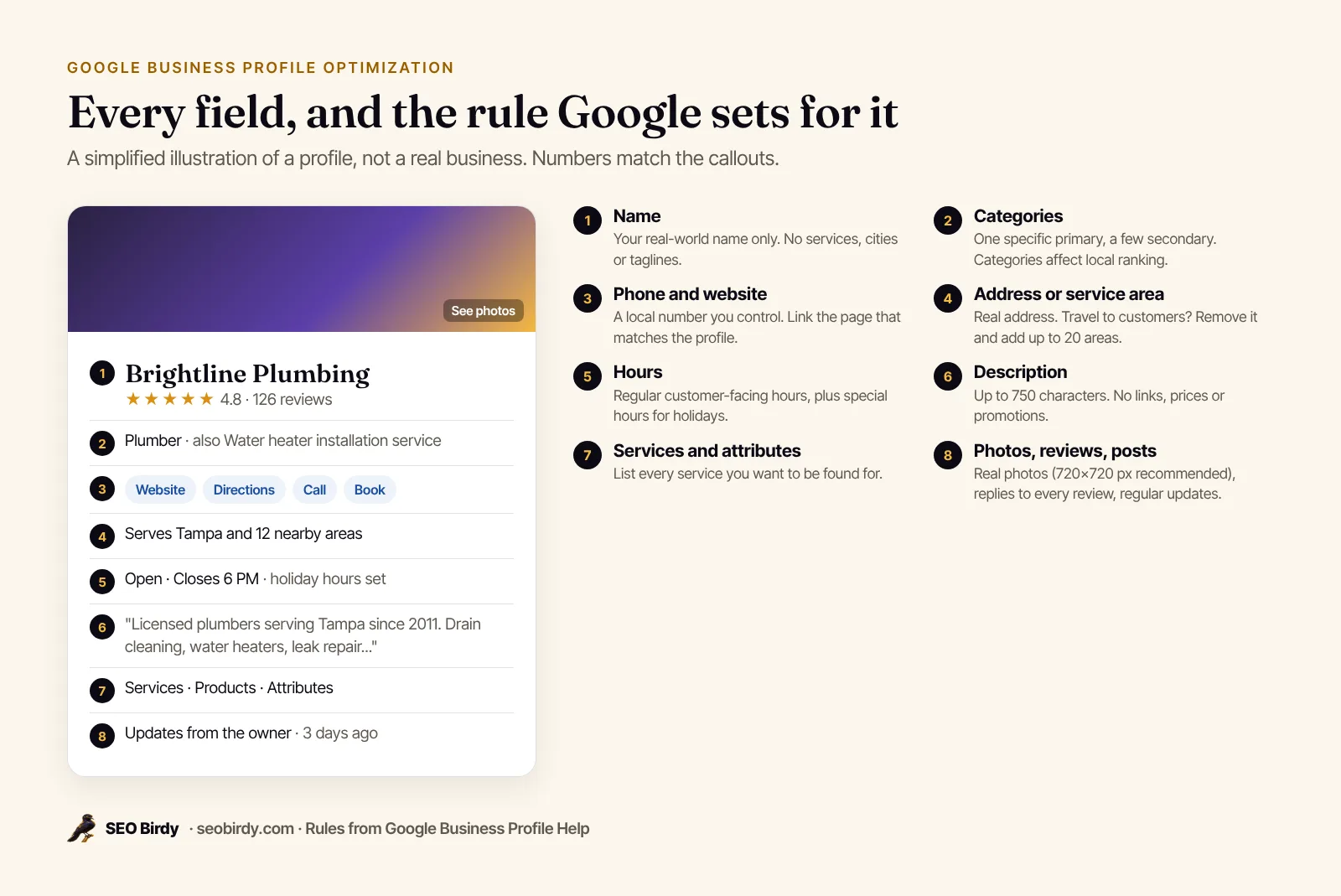
| Field | Google's rule | Common mistake |
|---|---|---|
| Business name | Match your real-world name on signage and stationery | Adding services, cities or taglines |
| Primary category | The most specific category that describes the business | Choosing a broad one like "Contractor" |
| Secondary categories | As few as possible, only real departments or services | One for every service |
| Address | Your precise, real location; no P.O. boxes or virtual offices | A rented mailbox |
| Service area | Up to 20 areas, about 2 hours' drive max | Listing the whole state |
| Hours | Regular customer-facing hours, plus special hours | Forgetting holidays |
| Phone | A number you control, local where possible | A call-center or tracking number that redirects |
| Website | A page representing this location | Linking a social page |
| Description | Up to 750 characters, no URLs, prices or promotions | Keyword lists |
| Photos | JPG or PNG, 10 KB to 5 MB, 720×720 px recommended | Stock photos, heavy filters |
| Videos | Up to 30 seconds, up to 75 MB, 720p or higher | Long ads |
Rules come from Google's guidelines for representing your business, its edit your profile page and its photo and video help.
How to optimize the fields Google uses to match searches
These fields decide which searches you can show up for. Get them right before anything else: your name exactly as it appears in the real world, the most specific primary category, accurate location data, hours, a local phone number, a website page that matches the profile, and complete services.
Business name
Use the name on your storefront, website and stationery, and nothing else. Google's guidelines prohibit marketing taglines, store codes, service descriptions and location details like "near downtown." Legal terms like LLC are allowed only with real-world proof. If your competitors stuff keywords into their names, use "Suggest an edit" on their profiles rather than copying them.
Primary and secondary categories
Google says plainly: "The categories you select affect your local ranking on Google," in its category help page. Choose the primary category that completes "This business IS a," and pick the specific option over the general one, like Google's own example of "Nail salon" rather than "Salon." Add secondary categories only for real departments, like a grocery store adding "Bakery." Categories can also turn on extra features, such as booking buttons for salons and menus for restaurants. Changing a category may trigger re-verification, so do it deliberately.
Address, pin and service area
Enter your exact street address, and drag the map pin onto your building if it's off. Suite numbers go in address line 2. Co-working spaces only qualify if you have signage, staff and customers there during business hours. Hybrid businesses that serve customers at a storefront and on the road can show their address and add service areas.
Hours and special hours
Enter the hours customers can reach you, and set special hours for every holiday ahead of time. Wrong hours on Google lead to angry reviews from people who showed up to a locked door. Seasonal businesses can use seasonal hours as regular hours, and mark the business temporarily closed in the off-season. Businesses that work by appointment only shouldn't list hours.
Phone number and website
Use a phone number you control, preferably local, and avoid numbers that redirect callers elsewhere. Link your website to the page that best represents this location: your homepage for a single location, the location page for a multi-location business. Add UTM parameters to the link, using Google Analytics' URL builder guidance (for example, utm_source=google&utm_medium=organic&utm_campaign=gbp), so you can see profile traffic separately in Analytics.
Make sure that landing page is strong too: clear service headings, your address and phone, and local business schema. Our free Website SEO Audit checks the title, description, headings and schema for you.
Business description
You get 750 characters. Use them to say what you do, for whom, where, and what makes you different, in plain sentences. Google's rules ban URLs, HTML, prices and promotional language here. An example for a fictional dental practice:
Family and cosmetic dentistry in North Austin since 2012. We see kids, adults and nervous patients, with evening hours twice a week. Services include cleanings, fillings, crowns, Invisalign and same-day emergency visits. Most PPO insurance accepted. Free parking behind the building.
That reads naturally and still names the main services and the area.
Services, products and attributes
Add every service you want to be found for, with a short description each. Retail businesses in eligible countries can add products. Then go through attributes (accessibility, payment types, amenities, "identifies as" attributes where they apply), and add your opening date. Each of these is a small piece of "complete and accurate info," which Google says makes a profile more likely to show up.
Photos and videos: sizes and what to upload
Upload real, well-lit photos of your exterior, interior, team, vehicles and finished work, plus a logo and a cover photo. Google's specs: JPG or PNG files between 10 KB and 5 MB, 720 by 720 pixels recommended and 250 by 250 minimum. Videos can run up to 30 seconds and 75 MB, at 720p or higher. Google says images "should represent reality," so skip heavy filters and stock photos.
What to upload first, for most local businesses:
- Exterior from the street, so people recognize your building or vehicle.
- Logo, which helps customers recognize you. Google says it needs a complete profile (name, address, category, phone, hours) to appear.
- Cover photo, the image that best represents you. Google may show a customer photo instead if yours is low quality.
- Team and work photos, like a technician at a job or a finished kitchen. Add new ones every month.
There's no published ideal number of photos. Add enough to show every service and keep adding recent ones, because customers notice when the newest photo is three years old.
How do reviews fit into profile optimization?
Reviews are the part of Google Business Profile optimization that never ends. Google says more reviews and positive ratings can help local ranking, and its tips recommend asking every customer and replying to every review. Make asking routine: share your review link or QR code on receipts, invoices and follow-up texts, right after the job is done.
Two rules to follow exactly. Never offer anything in exchange for a review, and never ask only the customers you expect to be happy. Google treats both as fake engagement, and its restriction policy says it may block new reviews or show a warning on profiles that break it. For replies that customers actually read, use our guide on how to respond to Google reviews, which includes 40 free templates.
Posts, messages and keeping the profile active
After the cleanup, optimization becomes maintenance: publish updates, offers and events, add photos of recent work, answer messages and keep hours current. Google hasn't said that activity is a ranking factor, but posts and fresh photos are what customers see on your profile, and an active profile is easier to trust.
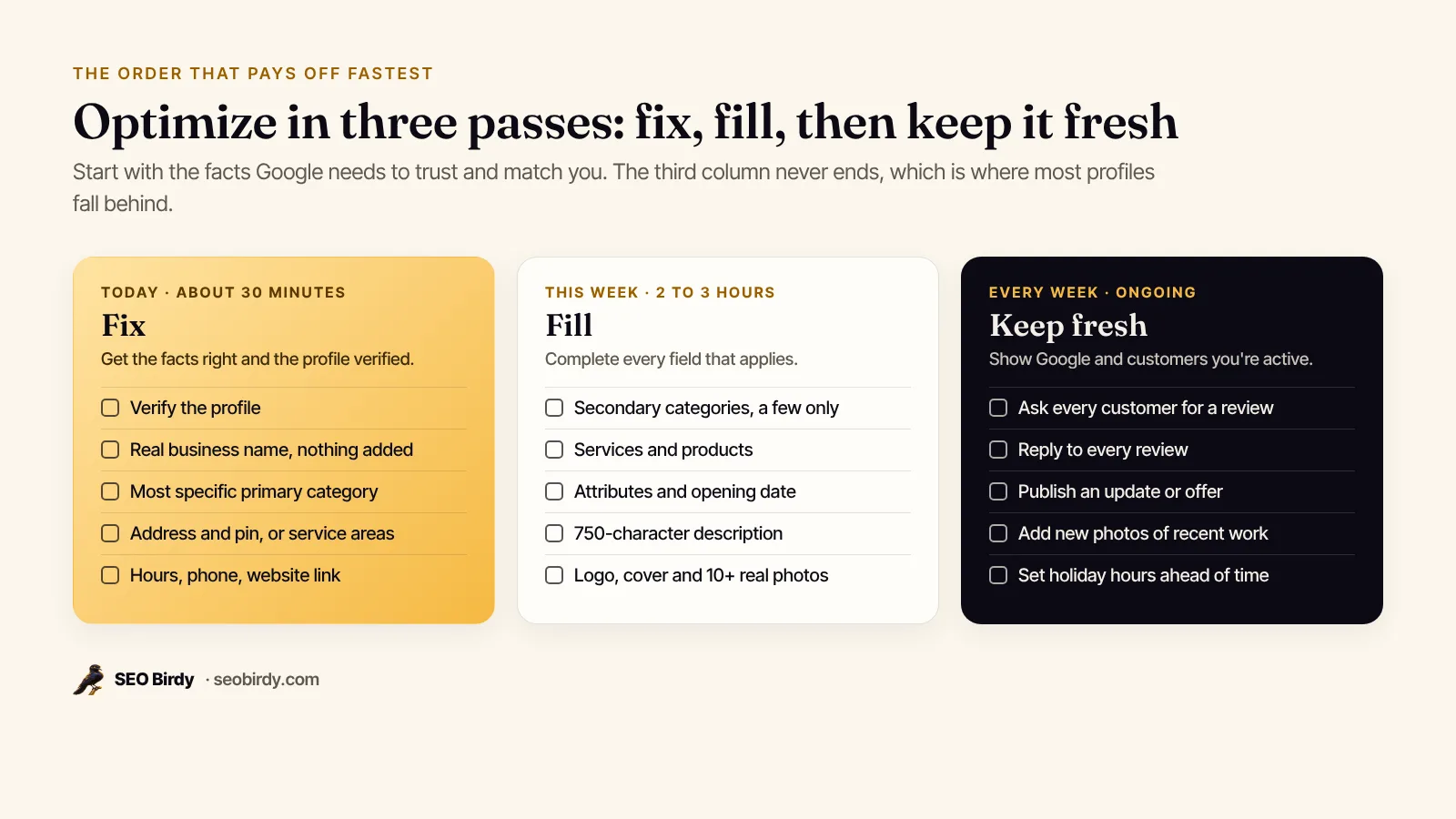
Posts can be updates, offers or events, and Google now lets you schedule them and set them to repeat. Our guide to Google Business Profile posts has post ideas by industry, image tips and the reasons posts get rejected.
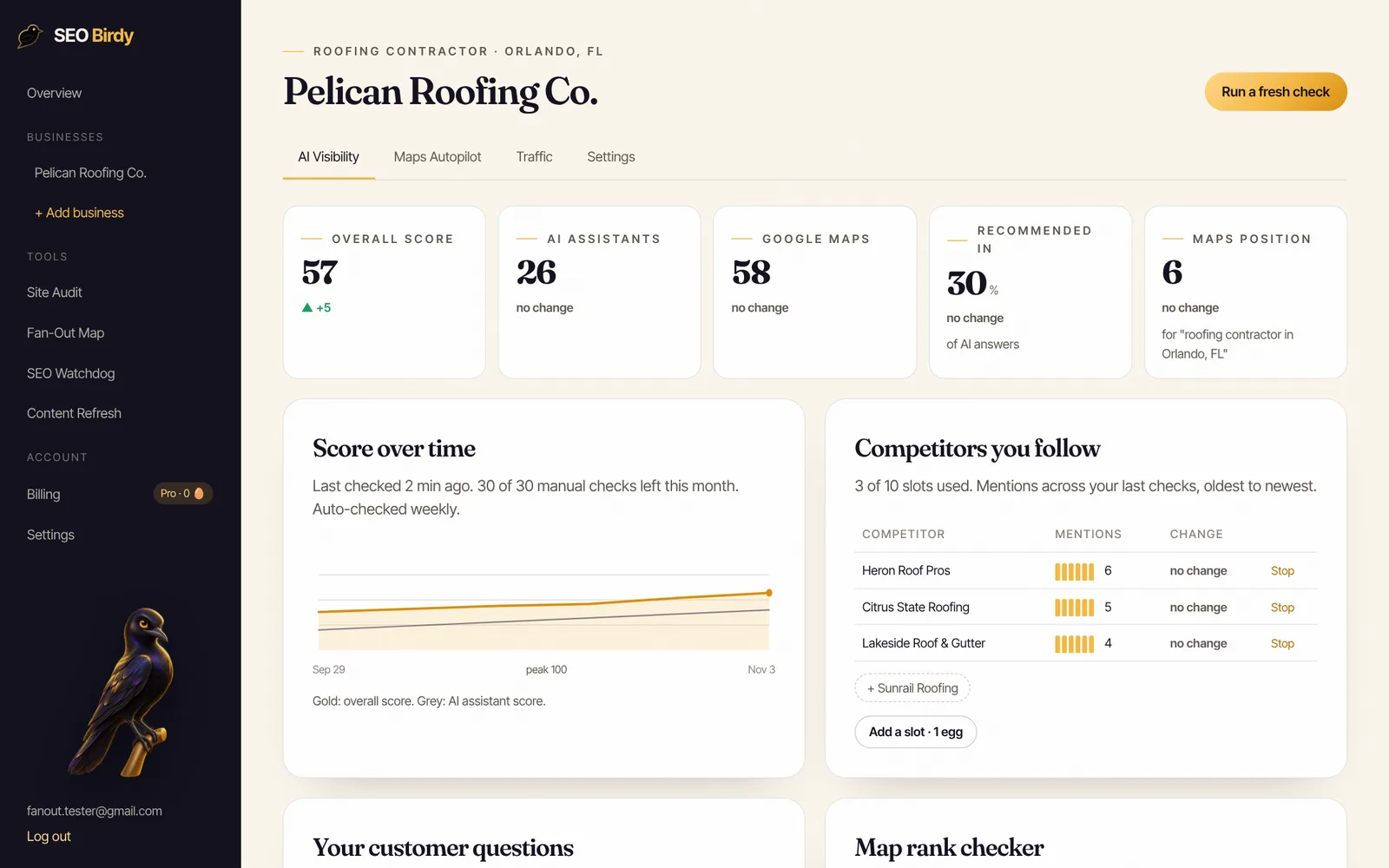
Keep the profile fresh without the weekly chore. Maps Autopilot writes a helpful weekly post for your service and city and drafts a personal reply to every new review, all waiting for your approval. You connect with Google's own sign-in; we never ask for your password.
See Maps Autopilot →How do you measure Google Business Profile optimization?
Measure it with your profile's Performance report and a rank check across your area. Google's Performance help page lists the metrics: interactions, searches (the terms people used to find you), views, directions, calls, website clicks, messages and bookings. Compare month over month, and note the date of each change you make.
Keep three things in mind when reading the numbers:
- Views count unique people per day on Search and Maps, so they can look lower than you expect.
- Searches update at the start of each month and can take up to five days to appear.
- Calls, website clicks and directions are the numbers that turn into revenue. Track them first.
Business Profile sometimes prompts you to add missing information. Treat those prompts as a quick way to improve your profile's completeness, then judge results by calls and clicks rather than by a progress bar.
Performance doesn't tell you where you rank. For that, check your position from points across your service area with a geo-grid, covered in our guide to local rank tracking.
What gets a Google Business Profile suspended?
Profiles get suspended or restricted for misrepresentation and fake engagement: names stuffed with keywords, virtual offices or P.O. boxes as addresses, more than one profile for the same location, phone numbers or links that redirect, and bought, swapped or incentivized reviews. Google removed over 13 million fake Business Profiles in 2025, according to its Maps safety announcement.
Two habits keep you safe. Make changes deliberately, one at a time, because big edits (name, address, category) can trigger a review or re-verification. And remember that Google compiles profile information from several sources, including public web content, licensed data and user contributions, per its help page on how it sources business info. Check your profile monthly for edits you didn't make.
What changed in Google Business Profile optimization in 2026?
Three changes are worth knowing. Google's posting tool now lets you schedule posts and set them to repeat weekly or monthly. Since April 2026, Google emails verified owners about important edits to their profile before they publish, and it pauses new reviews when it sees a sudden spike of spam reviews, per its Maps safety announcement. Keep your contact email current so you get those alerts.
How to get your Google Business Profile link, or remove a profile
To share your profile, search your business on Google or Maps and use Share to copy the link. For a review link, open your profile on a computer, go to reviews and choose the option to get more reviews. To remove a duplicate or a closed location, mark it as permanently closed or remove it from your Business Profile account rather than leaving two listings live.
How much does Google Business Profile optimization cost?
Optimizing your own profile is free: Google doesn't charge to create, verify or edit a Business Profile. Paying makes sense when you don't have time for the weekly part. Your options are a freelancer or agency (one-time setup or a monthly retainer), or software that does the recurring work and lets you approve it.
| Option | What you pay | Best for |
|---|---|---|
| Do it yourself | Free, plus a few hours a month | Owners with time to post and reply weekly |
| Freelancer or agency | One-time setup fee or monthly retainer; prices vary widely | Businesses that want it fully handled |
| Software with approvals | A monthly subscription | Owners who want the weekly work drafted for them |
When comparing a Google Business Profile optimization service, agency or company, ask exactly what happens every month: how many posts, whether every review gets a reply, how rank is measured, and whether they follow Google's guidelines on names and reviews. Be wary of anyone promising a guaranteed number one spot. Google says there's no way to pay for a better local ranking.
Is there a Google Business Profile optimization course or certification?
You don't need a paid course or certification to do this well. Google's Business Profile Help center is the authoritative tutorial, and every rule in this guide links to it. If you do take a course, check that it teaches Google's guidelines rather than tricks like keyword-stuffed names, which put profiles at risk.
SEO Birdy's Maps Autopilot is part of the Growth plan at $299 a month (see pricing), and agencies can resell it under their own brand through our white-label program. Before paying anyone, run the free AI Visibility Audit to see your Google Maps position, rating and review gap against the top local competitors, then use our local SEO checklist for everything beyond the profile.
Find out what your profile is missing, free. The AI Visibility Audit checks your Google Maps position, rating and review gap against local competitors, plus whether ChatGPT, Gemini, Claude and Perplexity recommend you.
Run the free AI Visibility Audit →Frequently asked questions
How much does Google Business Profile optimization cost?
Doing it yourself costs nothing: creating, verifying and editing a Business Profile is free. Paid help ranges from one-time setup fees to monthly retainers from agencies and freelancers, and software sits in between. SEO Birdy's Maps Autopilot, which drafts weekly posts and review replies and tracks your map rank, is part of the Growth plan at $299 a month. Compare what each option does every month, not just the price.
How long does it take to see results from optimizing a Google Business Profile?
Fixes to facts, like a better primary category or correct hours, can affect visibility within days once Google approves the edit. Google says edits are reviewed before they go live. Gains that depend on reviews and links take months. Measure monthly in the Performance report, and track rank across your service area with a geo-grid so you see where you're gaining.
How many categories should a Google Business Profile have?
One primary category and as few secondary categories as you need. Google's guidelines say to use as few categories as possible to describe your core business and to pick the most specific ones. The edit screen allows a primary plus up to nine more, but adding a category for every service is a mistake. List individual services in the Services section instead.
Can I optimize a Google Business Profile without a physical address?
Yes. Service-area businesses that travel to customers verify with their real base address, remove it from public view, and set up to 20 service areas within about two hours' drive. Everything else on this checklist applies the same way. What you can't do is use a virtual office or P.O. box as your address, which Google's guidelines don't allow.
Should I put keywords in my Google Business Profile description?
Describe what you do in plain language, which naturally includes your main services and city. Google's rules say the description must stay within 750 characters and avoid links, prices and promotions. Google hasn't said keywords in the description affect ranking, so write it for the customer reading it, not for an algorithm.
What is the best AI tool for Google Business Profile optimization?
AI is most useful for the recurring work: drafting review replies and weekly posts, which you then check and approve. It can't fix the facts on your profile for you. Whatever tool you use, keep a person approving every reply and post, and make sure the tool connects through Google's official sign-in rather than asking for your password.
How do I find my Google Business Profile link?
Search your business name on Google or Google Maps, open your profile and use the Share option to copy its link. For a review link specifically, open your Business Profile on a computer, go to your reviews and choose the option to get more reviews, which gives you a short link and a QR code you can print or send to customers.
We build SEO Birdy's audits and autopilots, and we test every recommendation against live search results and AI answers before we publish it. Our guides follow Google Search Central and Bing Webmaster guidelines.